

Encrypt Decrypt Tools
It’s perfect for learning, testing, and applying encryption techniques.
Encryption transforms plain text data (plaintext) into random and meaningless text (ciphertext).
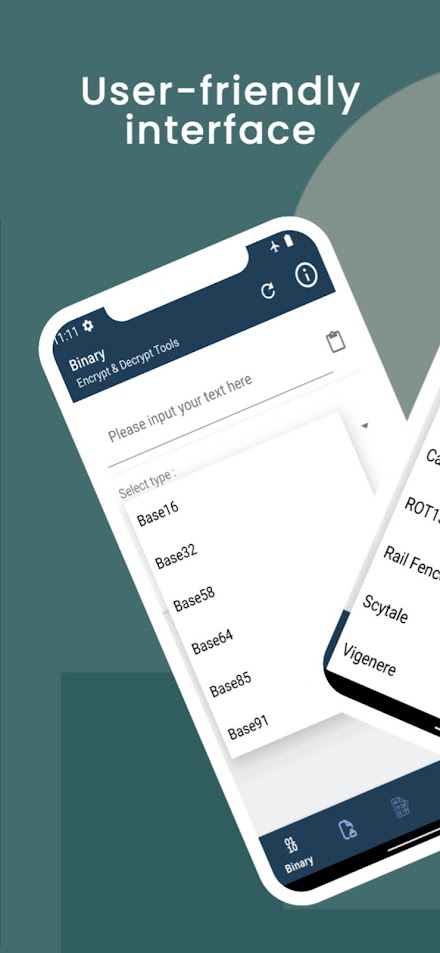
Decryption reverts ciphertext back to plaintext.Key Features:- Simple & Easy to Use: One-click display calibration.- Uniform Pixel Calibration: Ensures even pixel calibration.- Enhanced Touchscreen Resolution: Improves screen clarity and responsiveness.- Lightweight: Minimal impact on device performance.- Free to Use: Access all features at no cost.- User-Friendly Interface: Seamless and intuitive navigation.- No Root Required: Works on all devices without rooting.Encryption & Decryption Features:- Text Sharing & Copy-Pasting: Easily share and copy-paste encrypted content.- Binary-to-Text Conversions: Supports Base16, Base32, Base58, Base64, Base85, Base91.- Numerical Conversions: Binary, Decimal, Hexadecimal, Octal.- Traditional Encoding: Morse code.- Symmetric Encryption: AES ECB PKCS5PADDING, DES ECB PKCS5PADDING, 3DES ECB PKCS5PADDING.- Classic Ciphers: Atbash, Affine, Beaufort, Baconian, Caesar, ROT13, Rail Fence, Scytale, Vigenere.Explore many more features to enhance your encryption and decryption experience!
About Encrypt Decrypt Tools
- Package name (App ID)
- com.santodev.endcrypt
- Available on
- Google Play
- Price
- Free
- Developer
- Santo dev
Looking for the Encrypt Decrypt Tools APK?
The safest way to get Encrypt Decrypt Tools (com.santodev.endcrypt) on your Android device is to install it directly from Google Play — you'll always get the latest official version, automatic updates, and no risk of modified or infected APK files from third-party sites.

Social Features
Connect and share with friends and the community.
Gaming Features
Enjoy immersive gaming experience with various game modes.
Learning Tools
Enhance your learning experience with interactive features.
See Encrypt Decrypt Tools in Action


Frequently Asked Questions
Is Encrypt Decrypt Tools free?
Yes, Encrypt Decrypt Tools is free to download and install on Android through Google Play.
How do I install Encrypt Decrypt Tools on Android?
Open Google Play on your Android phone or tablet, search for Encrypt Decrypt Tools by Santo dev or tap the Google Play button on this page, then tap Install. The app downloads and installs automatically.
What is com.santodev.endcrypt?
com.santodev.endcrypt is the App ID (package name) of Encrypt Decrypt Tools on Google Play. Every Android app has a unique package name, and it is the safest way to verify you are installing the official app.
Is Encrypt Decrypt Tools safe to download?
Installing Encrypt Decrypt Tools from Google Play is the safest option: you get the official version published by Santo dev, verified by Google Play Protect, with automatic updates. Avoid APK files from unofficial third-party sites.

Get Encrypt Decrypt Tools Today
Encrypt Decrypt Tools for Android — free download on Google Play.
Compatible with Android phones and tablets — available on Google Play.
Ask AI about this app
Get instant answers about features, tips and more from popular AI assistants.